Removing the Background and Fake images

We had our last cybersmart session this week, we learned how to use a website called remove.bg to remove the background of an image we took of ourselves on our iPad. We then searched Google to find a cool background.

Finally, we opened up freeform and put the background picture on and then the photo of us over the top to look like we were in a completely different place. Check out our photos! We had a lot of fun doing this.


Zoe driving a taxi in NYC.                                 Lydia-Jane taking a selfie by the pyramids.


Bethany by the Eiffel Tower.          Kahlarni-May living it up in Italy!


Superhero Aaliyah flying through Japan!      Ben playing Wheres Wally? in the food

Mila hanging out at the beach.                         Niwa in space.


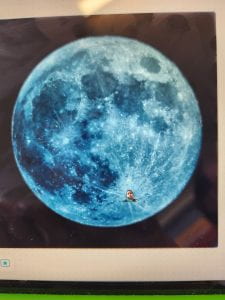
Layton going for a swim.               Uriam is the man in the moon!

Clips

Today, we started finishing our video project.

For this, we have screen recorded our Scratch Project, we have downloaded our song from GarageBand and today, we made some posters on clips to show our learning.

For those of us who finished our posters, we recorded ourselves using special effects – so we could make camera a different colour, like red, purple, orange or even rainbow or different effects like glitch and kaleidoscope.

Next week, we are going to add our scratch recording to our video and if we haven’t yet, also put our Garageband song on the video.

We will then share some of our final products!

More Garageband

We had a smaller class today, so got our songs on GarageBand finished quite quickly. Whaea Stacey then showed us how to get our song onto clips – it was a little bit tricky, so we worked through this together.

After we had done that, we got to have a practice on GarageBand using live loops or the drummer (we hadn’t used these before, because the beats are already made, so it wasn’t us making our songs).

We really enjoyed this!

Garage Band

Today for our cybersmart session we went back to using Garage Band to make a song that we will use on Clips. Next week, we will finish this and then save it to clips to be our background song.

Te Wiki o Te Reo Māori

This week is Te Wiki o Te Reo Māori – or Māori Language Week. We joined with the seniors for our session today and Whaea Stacey showed us the different things we could do. We only had a short session as Whaea Puhiwahine came in to help us practice for the Kapa Haka festival that a lot of schools in the Horowhenua are attending tomorrow.

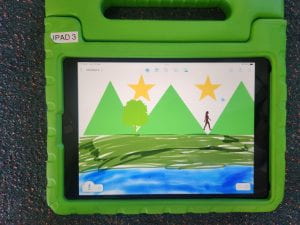
We did a visual mihi using our iPads. We had to use a Maunga, an awa or roto and a picture of a person. Anything else was OK too. Here are two of our visual mihi’s.

More Clips

Today we did some more work on clips. Whaea Stacey reminded us about what we learned last week, and then we were off to practice on our own.

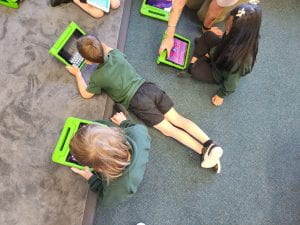
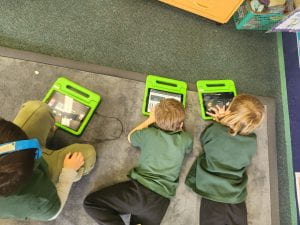
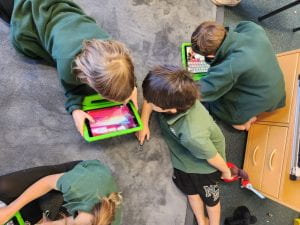
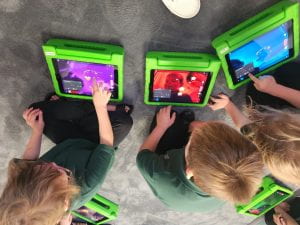
Here are some pictures of us working:

Sharn and Riley weren’t at school last week, so we were also able to show them how to use clips!

Clips

Today for cybersmart we learned about Clips.

Clips is an app you get on an iPad or iPhone.

We learned how to change the colour or filter of our camera, unfortunately Harley-Blue’s iPad had an older version, and she couldn’t use colours but she had lots of other cool filters that the rest of us didn’t have.

We added in emojis which moved when we did, as well as animations that also moved when we did.

We also found out about live captions, which records the words in writing as you talk – this would be really good for practicing you reading.

We could also change posters where we put our names on.

Recording on clips is super easy, you just press the red button.

We will be doing more clips next week.

Kindness

Today, we learned about kindness. This linked in with our value of the week – Aroha.

We took a photo of ourselves on freeform and then went around the classroom and wrote or drew a picture on everyone else’s picture.

The comments and pictures were anonymous (this means we don’t know who wrote what), but there were some lovely comments.

Some of our comments were: You look so good, you’re so nice, I like you, you look nice, I like your glasses they look so nice. Some of us had our favourite colour drawn all over.

We liked reading our comments at the end – it was a nice surprise because we didn’t know what they were going to be and they made us feel great.